
How to Delete Your Account
According to Google Play policy requirements, we provide convenient account deletion functionality.
You can delete your account directly within the app without needing to apply through the website.
How to Delete Your Account
Account deletion functionality is built into the app. Please follow the steps below to delete your account directly within the app:
Open App Settings
In the main app interface, find and click the "Settings" option. It's usually located in the bottom right corner or in the menu.
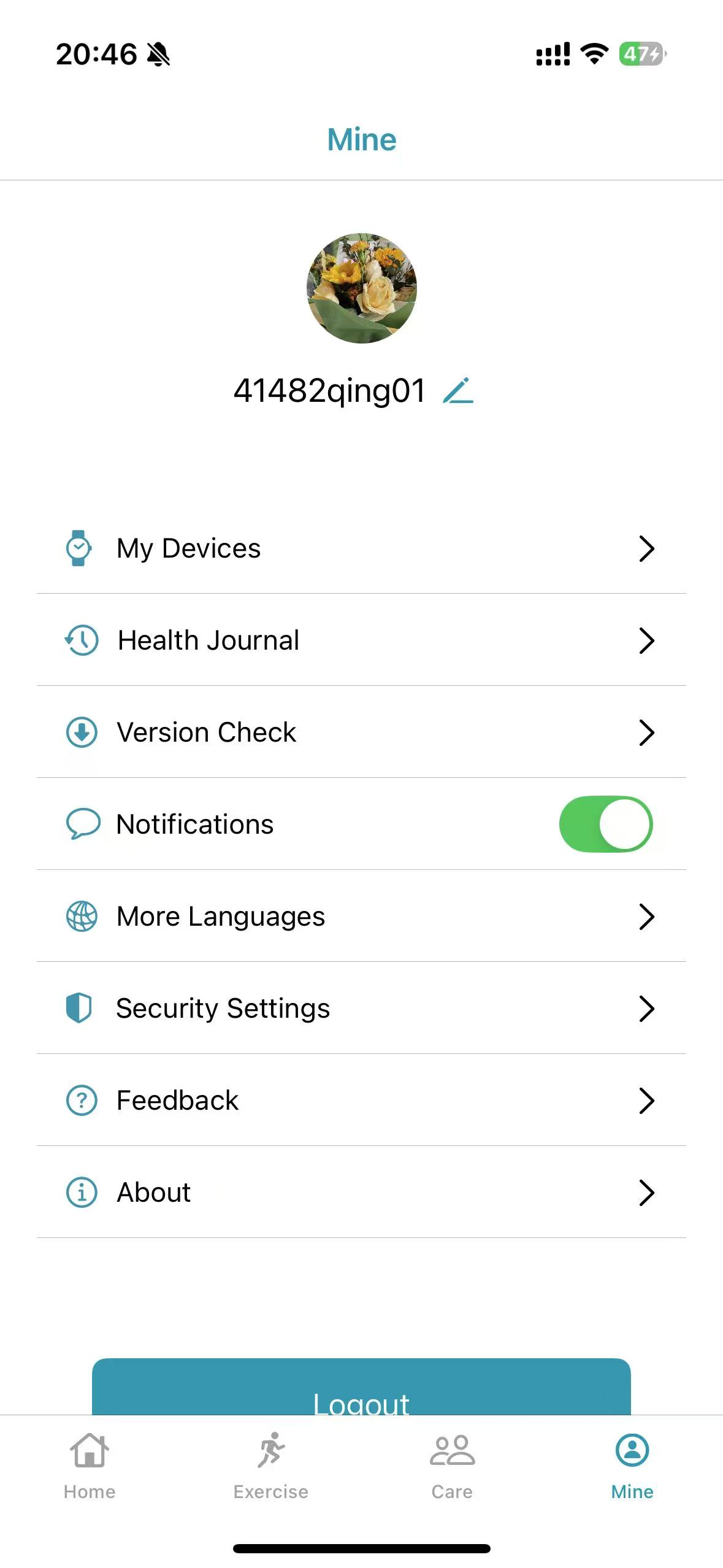
Access Privacy Settings
In the settings page, find the "Privacy" or "Account & Privacy" option and click to enter the privacy settings page.
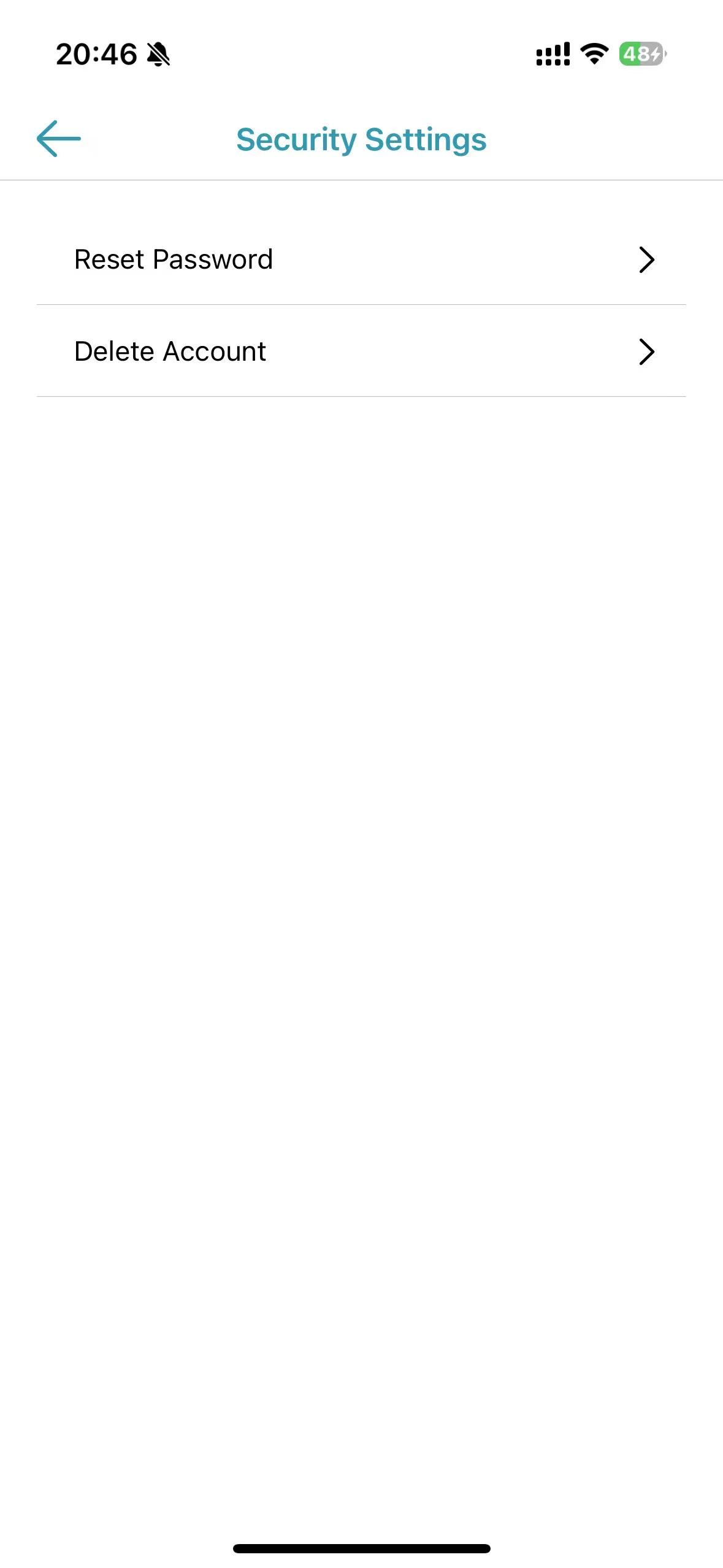
Confirm Account Deletion
In privacy settings, find the "Delete Account" option, click it and follow the prompts to confirm deletion. Data cannot be recovered after deletion.
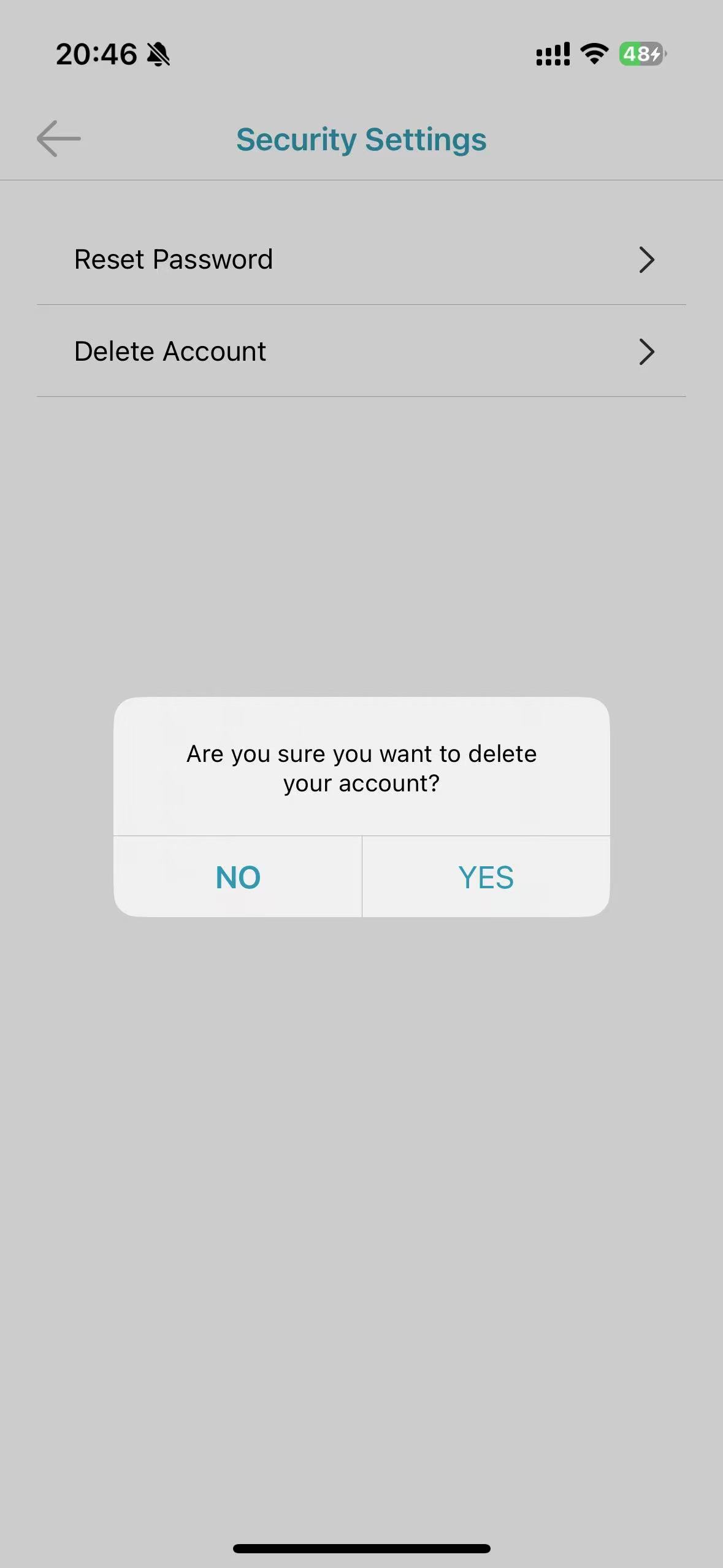
Important Notice
After account deletion, all data will be permanently deleted and cannot be recovered. If you just want to pause usage, we recommend logging out instead of deleting your account.
Data Deletion Policy
Data to be Deleted
- Personal identification information (name, email address, phone number, etc.)
- Account preferences and configuration information
- User-generated content and data
- App usage records and behavioral data
- Device information and technical data
Data That May Be Retained
- Data required by laws and regulations (retention period: as required by law)
- Anonymized statistical data (without personal identification information)
- Security logs and anti-fraud records (retention period: 1 year)
Deletion Timeline
- Request processing time: within 30 business days
- Data deletion execution: within 7 business days after confirmation
- Backup data cleanup: up to 90 days